MLite-880
SDR without a PC? Is that even possible? Even with a spectrum diagram? With the MLite-880, Elecevolve presents a world receiver that is as unusual as it is powerful—and truly one of a kind. A radio you can actually look at! What was previously possible mainly on a computer screen can now be enjoyed on this small, handy radio from Hong Kong in southern China—without any additional hardware—and with truly remarkable reception capabilities.
The Malachit MLite-880 was designed and developed by Russian reception experts and amateur radio operators Georgy Yatsuk (RC9CIM) and Vadim Burlakov (R6DCY). The company Elecevolve, which has long specialized in building extraordinary radio equipment, manufactured the radio and is also responsible for its particularly beautiful design.
The enclosed functional description is in English. Here is a German translation: To the manual
At first glance, the MLite-880 is simply a small, handy world receiver. What lies behind its 14.5 × 10 × 2 cm dimensions, however, is all the more surprising. In addition to a continuous AM frequency range from 130 kHz to 30 MHz and an extended FM range from 65 MHz to 108 MHz, it also covers the entire airband frequency range (108 MHz – 136 MHz) and the 2-meter band (144 MHz to 148 MHz), which is used by North American NOAA weather stations. The fact that the radio supports LSB, USB, and CW modulation modes is sure to delight amateur radio enthusiasts in particular. It also supports DSB, AM, SAM, NFM, and WFM. All of these settings can be customized individually.
The fold-out feature on the back of the device is very practical. The small tab—which allows the radio to be tilted into a DXer-friendly angle—also displays key information such as the frequency spectrum, modulation types, battery status, and more.
RDS information is recognized and displayed exceptionally quickly: both station names and information about the programs currently being broadcast appear on the display, if available.
On the top of the device is a slot for a mini-SD card. With the MLite-880, you can record music tracks or even entire programs up to a maximum of 16 GB—and listen to them again at any time later. The recording function is available for all frequency bands and all reception modes, making the device not only a radio and world receiver but also a full-fledged recorder.
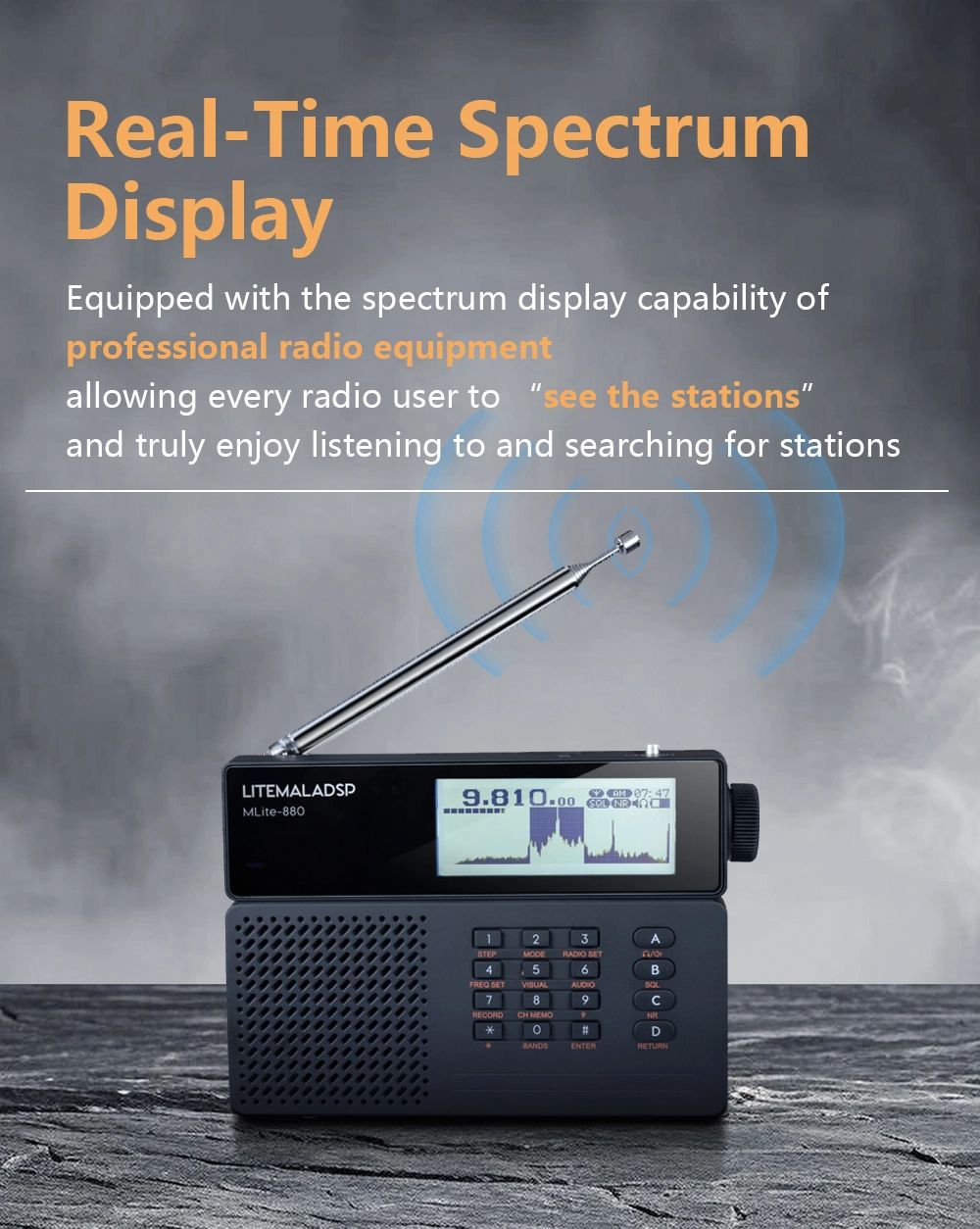
The display is very clear and context-sensitive—meaning it adapts depending on the mode the radio is currently in. Particularly striking and, in my opinion, truly appealing is the visual representation of the currently received stations in a dynamic spectrum chart.
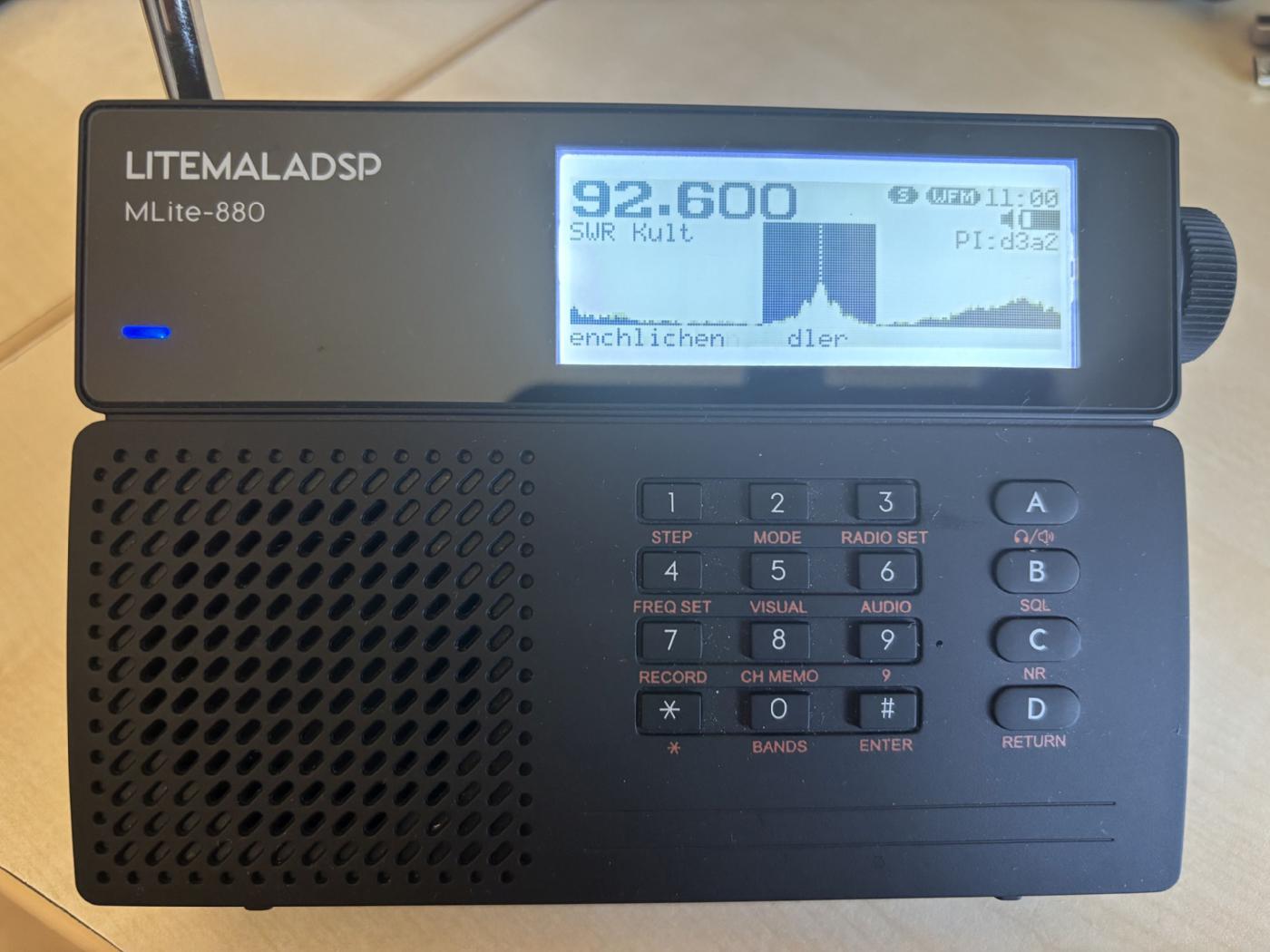
The MLite with a waterfall display. On FM, it also features an RDS display.
The user can enter the desired frequency directly at any time, or adjust it using the rotary knob after selecting the desired frequency range. The step size for station search can also be customized. The rotary knob in the upper right corner has a dual function. By pressing it once, the user can switch between station search and volume control.
There’s also an equalizer that lets you adjust the sound profile. Whether it’s voice, pop, jazz, or much more—everyone can configure the radio to suit their own taste.
If you plug headphones into the designated jack—provided the signal is strong enough—you can enjoy FM stations in beautiful stereo sound. This is also possible with compatible Bluetooth headphones; the necessary functionality is built in. However, the MLite-880’s Bluetooth is not (yet) compatible with the iPhone or similar devices.
In the following, I would like to discuss the various features in detail.
FM
The FM frequency spectrum ranges from 64 MHz to 108 MHz. It can receive both the OIRT band (65.9 MHz – 74 MHz) and the standard FM band (87.5 MHz – 108 MHz)—as well as all frequencies between 74 MHz and 87.5 MHz.
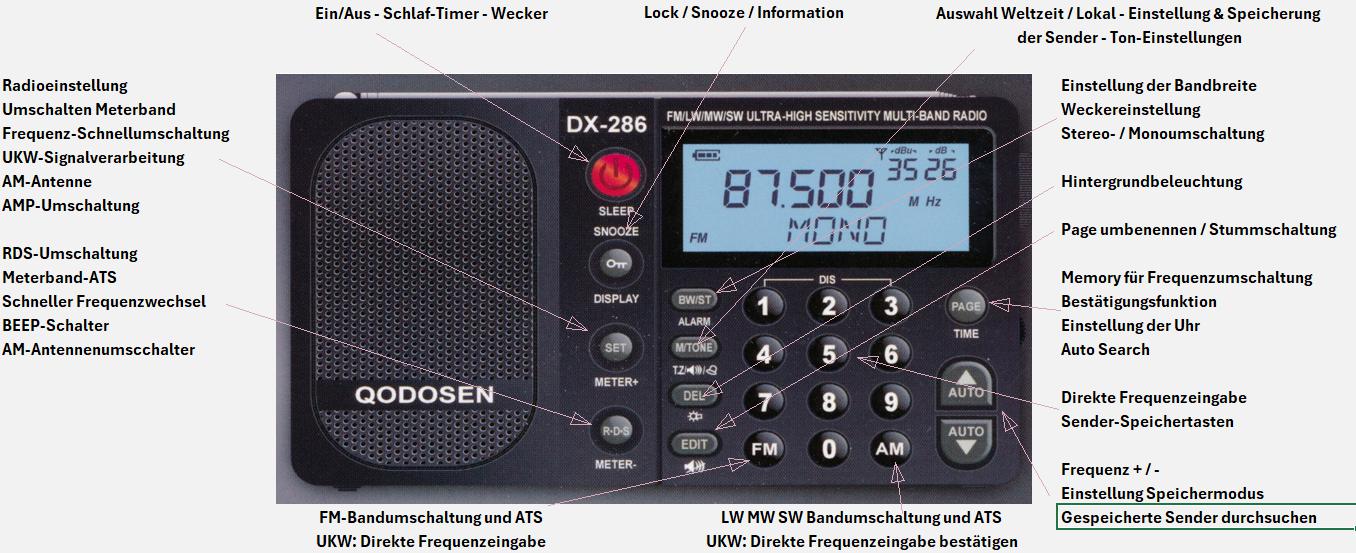
Even when first turned on in the predefined standard mode, this small device sounds full and clear. Even more impressive is its excellent reception performance, which a Grundig Satellit 700 or a Sony ICF 7600GR cannot match in a direct comparison. At best, only newer devices such as the Choyong LC90, the Qodosen DX-286, or the Deepelec DP-666 offer comparable reception performance.
Both on FM and across all other frequency ranges, there is a manual search as well as an automatic scan. On FM, both methods work very well; on shortwave, however, I would recommend manual search—especially for weaker signals—because weaker stations can easily be skipped during an automatic search. Of course, direct frequency entry is also possible anytime and anywhere.
Stations you particularly enjoy and listen to frequently can be saved in the memo section—again, regardless of the frequency band. Up to 500 stations can be saved this way.
The “WFM” (Wide FM) mode is the default for listening to FM stations. However, for very weak signals, you can switch to “NFM” (Narrow FM). Both settings can be adjusted individually in the audio menu. The bandwidth can also be freely configured, but in my tests, the “Auto” mode has proven to work exceptionally well, so I haven’t often needed to use the manual settings, even with weaker stations.
In addition to the built-in telescopic antenna, the MLite-880 also allows you to connect an external antenna. There is a built-in jack socket for this purpose. A jack-to-SMA adapter is also included in the package, so you can certainly connect a Yagi or other antenna for FM. This feature is particularly useful in the AM band, where my rotatable Wellbrook Loop roof antenna has performed very well and produced amazing results.
Long Wave / Medium Wave / Short Wave
Long-wave reception is particularly susceptible to external influences. It is becoming increasingly rare to find rooms that are truly free of interference. However, when such a room is available, reception with the built-in antennas is relatively good—even compared to other world receivers. In this regard, the use of an external loop antenna has proven particularly effective. This morning, with the roof antenna connected, I was able to receive the XEPPM station from Mexico on 6185 KHz. However, the station could not be heard using the built-in telescopic antenna. On longwave here in southwestern Germany, for example, the BBC signal on 198 KHz could be heard very clearly. It’s worth noting that the longwave band on the MLite-880 starts as low as 130 KHz, making it easy to receive the DWD weather signals as well.
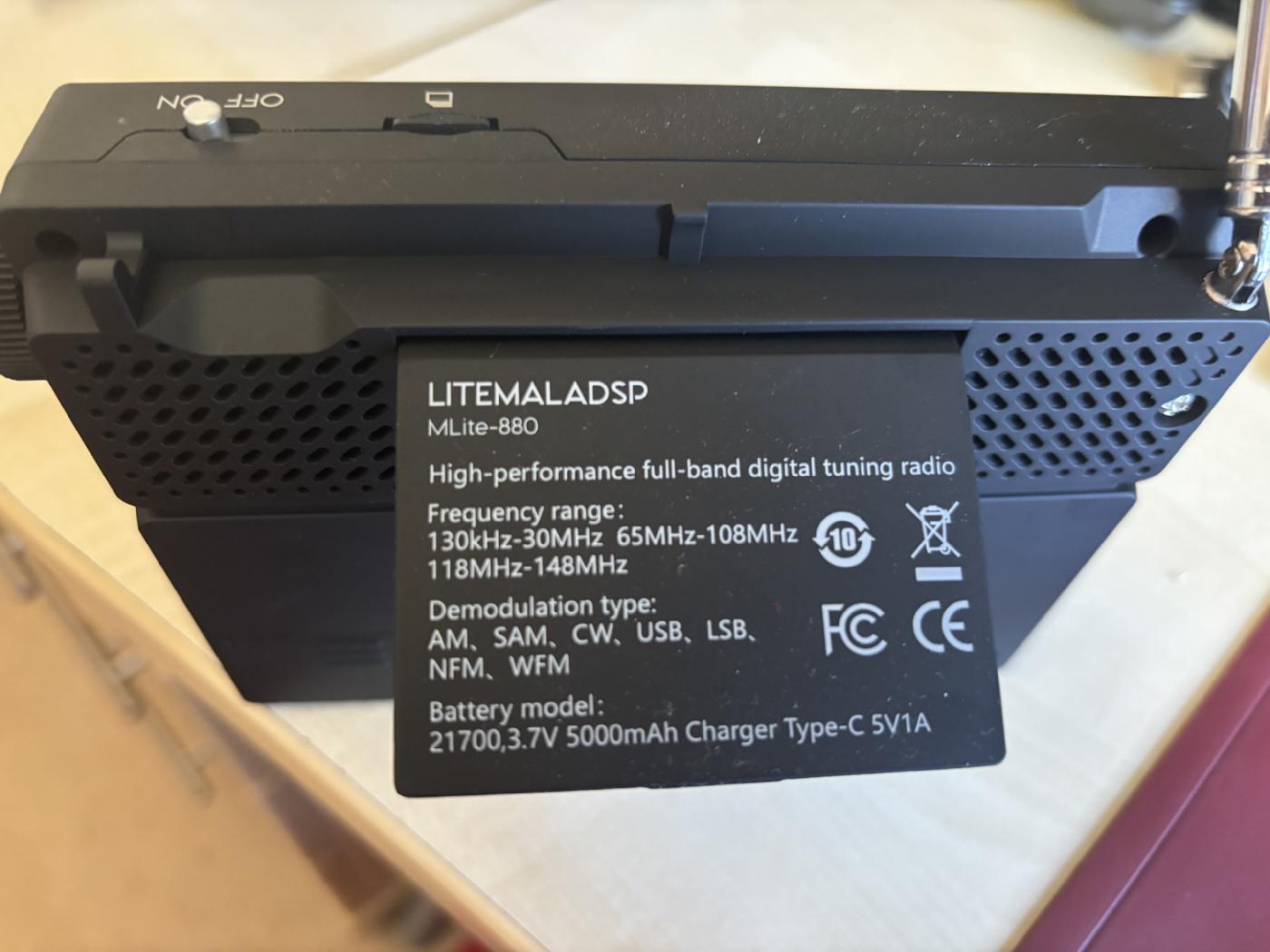
The back cover
The MLite-880’s noise reduction is truly impressive. The volume of the noise-reduction function can be adjusted individually, but even with the device’s default setting, you can listen to heavily noisy AM signals with virtually no interference. The usual crackling and chirping, familiar from earlier models, is also largely a thing of the past. For example, today Channel 292 at 6070 KHz was relatively weak, with a SINPO rating of 35333. After pressing the “NR” (Noise Reduction) button, virtually none of the noise was audible anymore.
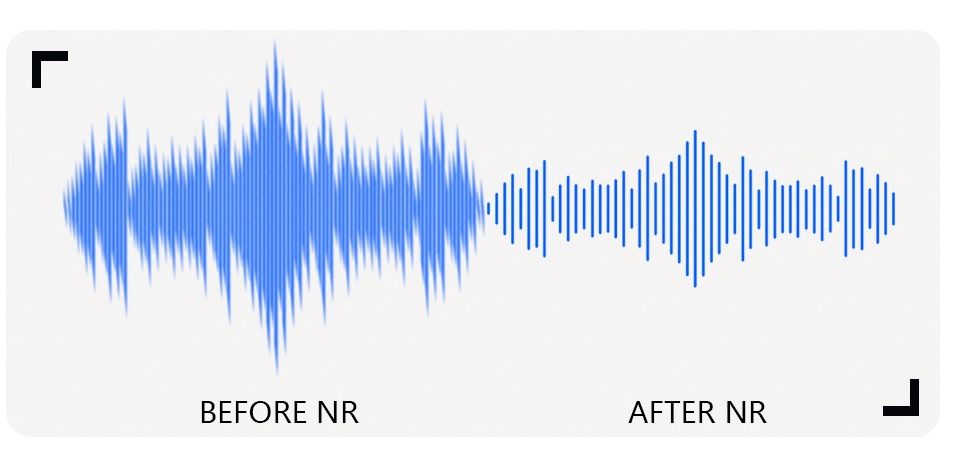
Noise Reduction on the MLite-880
It’s certainly worth mentioning the distinction between amateur bands and broadcasting bands. When a specific band is selected, the corresponding reception mode (LSB, USB, AM, etc.) is already preset. Of course, the frequencies and modes can also be changed manually [1]—as can the step size [2].
AIR-Band / NOAA
Frequencies above the FM band can also be received. However, the NOAA weather service is only available in the United States. Overall, the frequencies from 108 MHz to 165 MHz are available without interruption, so that aviation radio can also be monitored, provided you are within range or in the reception area of an airport.
Radio Recording
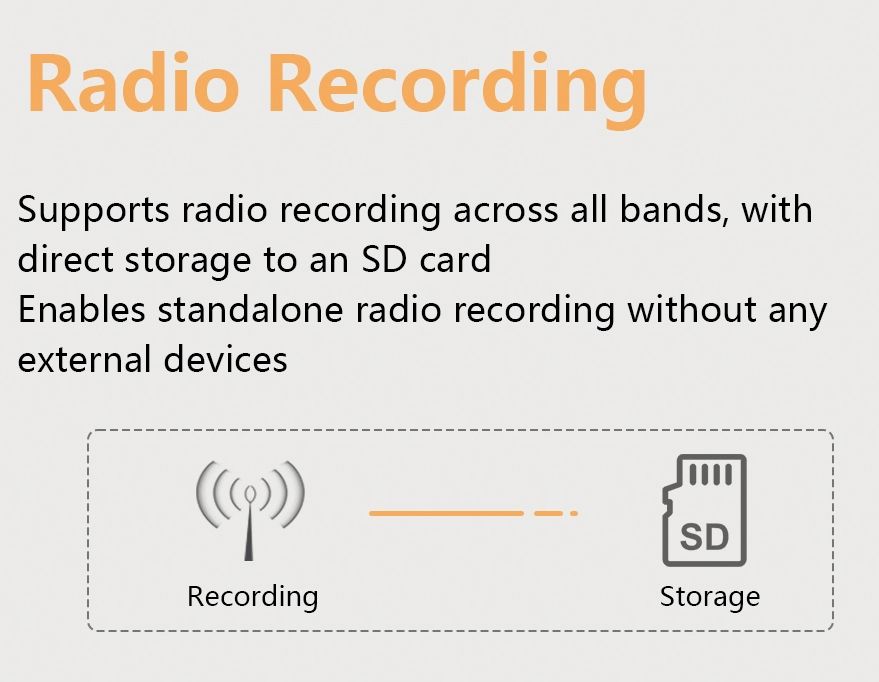
A micro SD card with a capacity of up to 16 GB can be inserted into the designated slot. You can record quite a lot on a card like that. The files are saved in WAV format and can then be played back either on the MLite-800 itself or on another device, such as a PC. This allows you to record entire programs—or even individual tracks. With tools like “Audacity,” you can easily cut, edit, and convert the recordings. Unfortunately, scheduling recordings in advance is not yet possible—at least, I haven’t found a corresponding feature so far. Hopefully, this can be implemented with a future firmware update. By the way, such updates can be found on the Elecevolve website under the “Downloads” menu item. Updating the firmware is very easy using the Windows Updater (also available there).
Firmware Update
So they’ve thought of that, too: From time to time, Elecevolve provides its customers with firmware updates that fix potential vulnerabilities and add new features. These are available for free at https://www.elecevolve.com/download/. To update the firmware, you’ll need the Windows Helper, which you can also find there. Using the search function, the “Helper” automatically finds the latest version. However, you should make sure the device has sufficient battery power before updating. You may see a warning or error message when installing the “Windows Helper” on your PC for the first time. If you downloaded it from the official website, you can ignore this message and install the program without concern.
Conclusion
A visual delight and technically sophisticated. That’s how I’d describe the MLite-880 from the Hong Kong-based company Elecevolve in a few words. Sure, there’s still room for optimization here and there. I expect there will be firmware updates, enhancements, and improvements in the future as well. Even now, I’d recommend buying this radio. It’s a lot of fun, and so far I haven’t found any other radio or world receiver where AM is this much fun. The variety of tuning and reception options is overwhelming. In my opinion, the noise reduction in particular is a huge success, and the beautiful waterfall display is a nice bonus.
Tips
The high-performance 21700 battery is included free of charge with the purchase of an MLite-880. It can now also be ordered from online retailers and specialty stores. A charging cable and an antenna adapter are also included in the package.
The most affordable way to purchase the MLite-880 right now is to order directly from the manufacturer. Elecevolve has also set up a download section on its website where all important manuals, firmware, and utilities can be downloaded for free.
Click here to visit the manufacturer’s website and / or to order:
Please include this coupon code when placing your order: HM68DE1
https://www.elecevolve.com/
SDR without a PC? Is that even possible? Even with a spectrum diagram? With the MLite-880, Elecevolve presents a world receiver that is as unusual as it is powerful—and truly one of a kind. A radio you can actually look at! What was previously possible mainly on a computer screen can now be enjoyed on this small, handy radio from Hong Kong in southern China—without any additional hardware—and with truly remarkable reception capabilities.
The Malachit MLite-880 was designed and developed by Russian reception experts and amateur radio operators Georgy Yatsuk (RC9CIM) and Vadim Burlakov (R6DCY). The company Elecevolve, which has long specialized in building extraordinary radio equipment, manufactured the radio and is also responsible for its particularly beautiful design.
The enclosed functional description is in English. Here is a German translation: To the manual
At first glance, the MLite-880 is simply a small, handy world receiver. What lies behind its 14.5 × 10 × 2 cm dimensions, however, is all the more surprising. In addition to a continuous AM frequency range from 130 kHz to 30 MHz and an extended FM range from 65 MHz to 108 MHz, it also covers the entire airband frequency range (108 MHz – 136 MHz) and the 2-meter band (144 MHz to 148 MHz), which is used by North American NOAA weather stations. The fact that the radio supports LSB, USB, and CW modulation modes is sure to delight amateur radio enthusiasts in particular. It also supports DSB, AM, SAM, NFM, and WFM. All of these settings can be customized individually.
The fold-out feature on the back of the device is very practical. The small tab—which allows the radio to be tilted into a DXer-friendly angle—also displays key information such as the frequency spectrum, modulation types, battery status, and more.
RDS information is recognized and displayed exceptionally quickly: both station names and information about the programs currently being broadcast appear on the display, if available.
On the top of the device is a slot for a mini-SD card. With the MLite-880, you can record music tracks or even entire programs up to a maximum of 16 GB—and listen to them again at any time later. The recording function is available for all frequency bands and all reception modes, making the device not only a radio and world receiver but also a full-fledged recorder.
The display is very clear and context-sensitive—meaning it adapts depending on the mode the radio is currently in. Particularly striking and, in my opinion, truly appealing is the visual representation of the currently received stations in a dynamic spectrum chart.
The MLite with a waterfall display. On FM, it also features an RDS display.
The user can enter the desired frequency directly at any time, or adjust it using the rotary knob after selecting the desired frequency range. The step size for station search can also be customized. The rotary knob in the upper right corner has a dual function. By pressing it once, the user can switch between station search and volume control.
There’s also an equalizer that lets you adjust the sound profile. Whether it’s voice, pop, jazz, or much more—everyone can configure the radio to suit their own taste.
If you plug headphones into the designated jack—provided the signal is strong enough—you can enjoy FM stations in beautiful stereo sound. This is also possible with compatible Bluetooth headphones; the necessary functionality is built in. However, the MLite-880’s Bluetooth is not (yet) compatible with the iPhone or similar devices.
In the following, I would like to discuss the various features in detail.
FM
The FM frequency spectrum ranges from 64 MHz to 108 MHz. It can receive both the OIRT band (65.9 MHz – 74 MHz) and the standard FM band (87.5 MHz – 108 MHz)—as well as all frequencies between 74 MHz and 87.5 MHz.
Even when first turned on in the predefined standard mode, this small device sounds full and clear. Even more impressive is its excellent reception performance, which a Grundig Satellit 700 or a Sony ICF 7600GR cannot match in a direct comparison. At best, only newer devices such as the Choyong LC90, the Qodosen DX-286, or the Deepelec DP-666 offer comparable reception performance.
Both on FM and across all other frequency ranges, there is a manual search as well as an automatic scan. On FM, both methods work very well; on shortwave, however, I would recommend manual search—especially for weaker signals—because weaker stations can easily be skipped during an automatic search. Of course, direct frequency entry is also possible anytime and anywhere.
Stations you particularly enjoy and listen to frequently can be saved in the memo section—again, regardless of the frequency band. Up to 500 stations can be saved this way.
The “WFM” (Wide FM) mode is the default for listening to FM stations. However, for very weak signals, you can switch to “NFM” (Narrow FM). Both settings can be adjusted individually in the audio menu. The bandwidth can also be freely configured, but in my tests, the “Auto” mode has proven to work exceptionally well, so I haven’t often needed to use the manual settings, even with weaker stations.
In addition to the built-in telescopic antenna, the MLite-880 also allows you to connect an external antenna. There is a built-in jack socket for this purpose. A jack-to-SMA adapter is also included in the package, so you can certainly connect a Yagi or other antenna for FM. This feature is particularly useful in the AM band, where my rotatable Wellbrook Loop roof antenna has performed very well and produced amazing results.
Long Wave / Medium Wave / Short Wave
Long-wave reception is particularly susceptible to external influences. It is becoming increasingly rare to find rooms that are truly free of interference. However, when such a room is available, reception with the built-in antennas is relatively good—even compared to other world receivers. In this regard, the use of an external loop antenna has proven particularly effective. This morning, with the roof antenna connected, I was able to receive the XEPPM station from Mexico on 6185 KHz. However, the station could not be heard using the built-in telescopic antenna. On longwave here in southwestern Germany, for example, the BBC signal on 198 KHz could be heard very clearly. It’s worth noting that the longwave band on the MLite-880 starts as low as 130 KHz, making it easy to receive the DWD weather signals as well.
The back cover
The MLite-880’s noise reduction is truly impressive. The volume of the noise-reduction function can be adjusted individually, but even with the device’s default setting, you can listen to heavily noisy AM signals with virtually no interference. The usual crackling and chirping, familiar from earlier models, is also largely a thing of the past. For example, today Channel 292 at 6070 KHz was relatively weak, with a SINPO rating of 35333. After pressing the “NR” (Noise Reduction) button, virtually none of the noise was audible anymore.
Noise Reduction on the MLite-880
It’s certainly worth mentioning the distinction between amateur bands and broadcasting bands. When a specific band is selected, the corresponding reception mode (LSB, USB, AM, etc.) is already preset. Of course, the frequencies and modes can also be changed manually [1]—as can the step size [2].
AIR-Band / NOAA
Frequencies above the FM band can also be received. However, the NOAA weather service is only available in the United States. Overall, the frequencies from 108 MHz to 165 MHz are available without interruption, so that aviation radio can also be monitored, provided you are within range or in the reception area of an airport.
Radio Recording
A micro SD card with a capacity of up to 16 GB can be inserted into the designated slot. You can record quite a lot on a card like that. The files are saved in WAV format and can then be played back either on the MLite-800 itself or on another device, such as a PC. This allows you to record entire programs—or even individual tracks. With tools like “Audacity,” you can easily cut, edit, and convert the recordings. Unfortunately, scheduling recordings in advance is not yet possible—at least, I haven’t found a corresponding feature so far. Hopefully, this can be implemented with a future firmware update. By the way, such updates can be found on the Elecevolve website under the “Downloads” menu item. Updating the firmware is very easy using the Windows Updater (also available there).
Firmware Update
So they’ve thought of that, too: From time to time, Elecevolve provides its customers with firmware updates that fix potential vulnerabilities and add new features. These are available for free at https://www.elecevolve.com/download/. To update the firmware, you’ll need the Windows Helper, which you can also find there. Using the search function, the “Helper” automatically finds the latest version. However, you should make sure the device has sufficient battery power before updating. You may see a warning or error message when installing the “Windows Helper” on your PC for the first time. If you downloaded it from the official website, you can ignore this message and install the program without concern.
Conclusion
A visual delight and technically sophisticated. That’s how I’d describe the MLite-880 from the Hong Kong-based company Elecevolve in a few words. Sure, there’s still room for optimization here and there. I expect there will be firmware updates, enhancements, and improvements in the future as well. Even now, I’d recommend buying this radio. It’s a lot of fun, and so far I haven’t found any other radio or world receiver where AM is this much fun. The variety of tuning and reception options is overwhelming. In my opinion, the noise reduction in particular is a huge success, and the beautiful waterfall display is a nice bonus.
Tips
The high-performance 21700 battery is included free of charge with the purchase of an MLite-880. It can now also be ordered from online retailers and specialty stores. A charging cable and an antenna adapter are also included in the package.
The most affordable way to purchase the MLite-880 right now is to order directly from the manufacturer. Elecevolve has also set up a download section on its website where all important manuals, firmware, and utilities can be downloaded for free.
Click here to visit the manufacturer’s website and / or to order:
Please include this coupon code when placing your order: HM68DE1
https://www.elecevolve.com/