Choyong Voyager
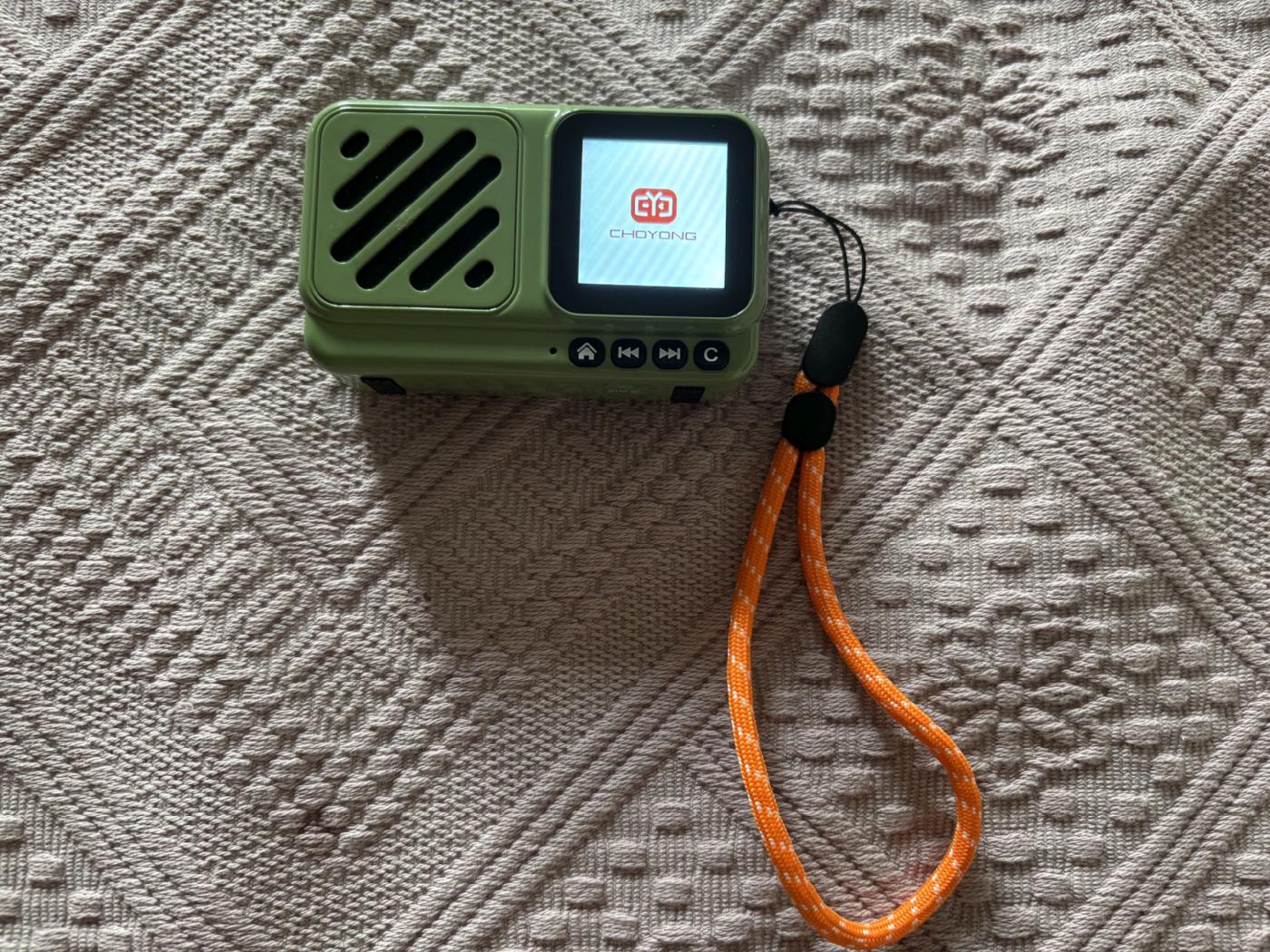
9 x 5 x 3 cm, 139 grams—including the rechargeable battery, which isn't exactly easy to replace: Probably the world’s smallest internet radio. In any case, I don’t know of any other that’s as small, as light, and as attractive as the Choyong Voyager. It plays around 50,000 stations and countless podcasts—and, relative to its size, with truly amazing sound quality.
A unique feature, as with all Choyong internet radios, is that it doesn’t rely on third-party providers for its internet database—providers that are prone to going out of business, disappearing from the market, or being sold off. The southern Chinese manufacturer maintains its own aggregator, which is constantly updated automatically. To improve quality, Choyong also has volunteers in many countries around the world who help test and update the stations regularly.
A radio that fits in any jacket pocket and can be taken anywhere: the name “Voyager” says it all.
The small device is delivered well-packaged and padded in a very sturdy box—along with a charging cable, a nice carrying handle that matches the color, and a user manual. Since the manual is only available in English, I’m providing a German translation here.
To better understand how the Choyong Voyager works, I’d like to describe it in a bit more detail here.
One of the first challenges after unpacking is attaching the carrying handle to the designated eyelet on the right side. This can turn into a real fiddly task. I threaded a thin, slightly rounded wire through the eyelet (which isn’t exactly easy either), tied the narrow end of the carrying handle to it, and carefully pulled it through with a pair of pliers. That worked out pretty well in the end.
Important: Because the radios aren’t allowed to be shipped by air with a fully charged battery, the battery level at the time of delivery is so low that the device usually won’t respond to anything at first. That’s why you must charge it with the included cable before doing anything else. Any smartphone charger from Samsung, iPhone, Android, etc., can be used for this. The charging time for the initial charge of the built-in battery is approximately 4 hours.
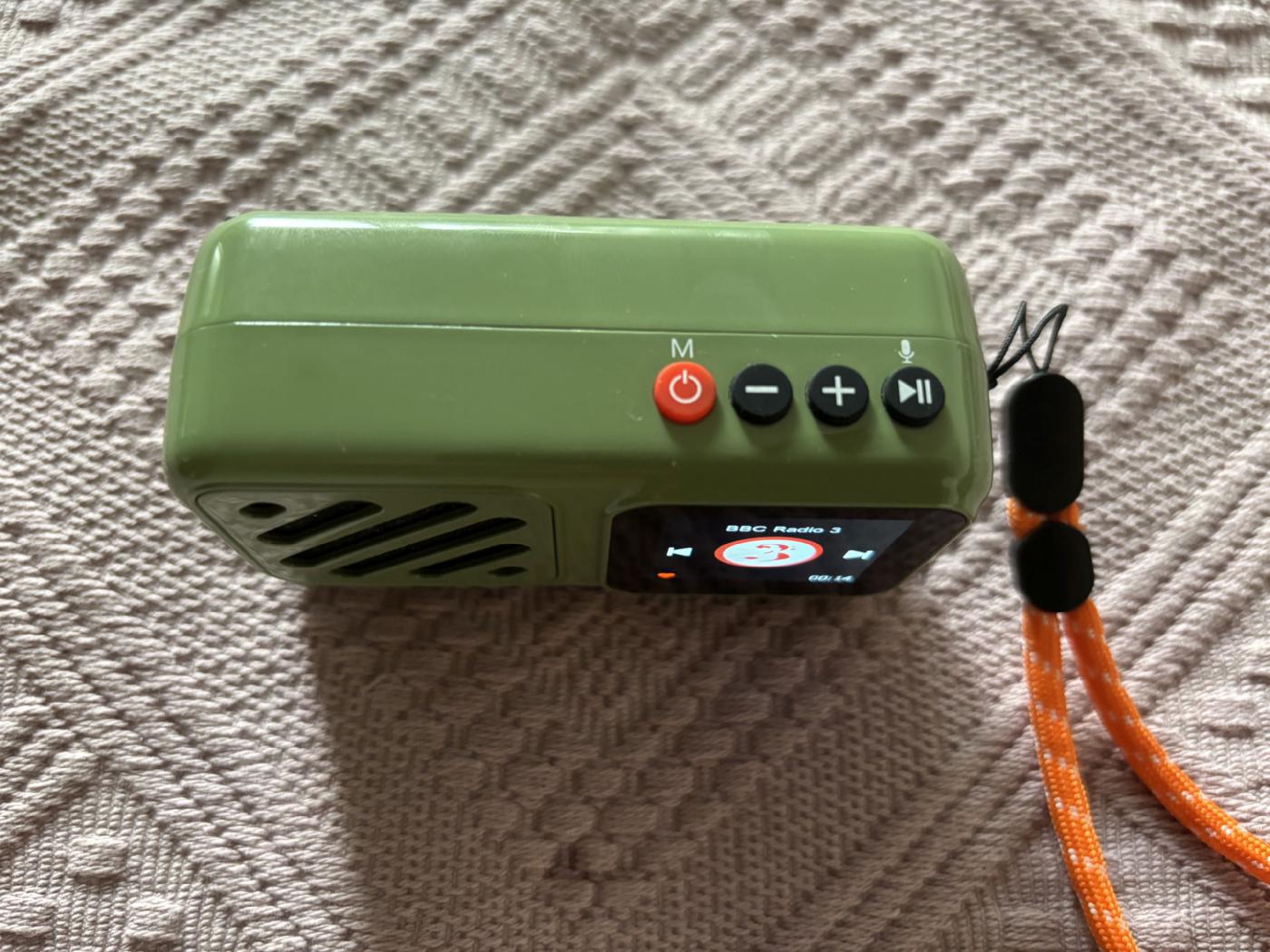
To turn on the radio, press and hold the small red power button on the top of the device for three seconds. Only then will the Choyong logo appear, and the radio will start up. So: Don’t just press it briefly and wonder why nothing happens.
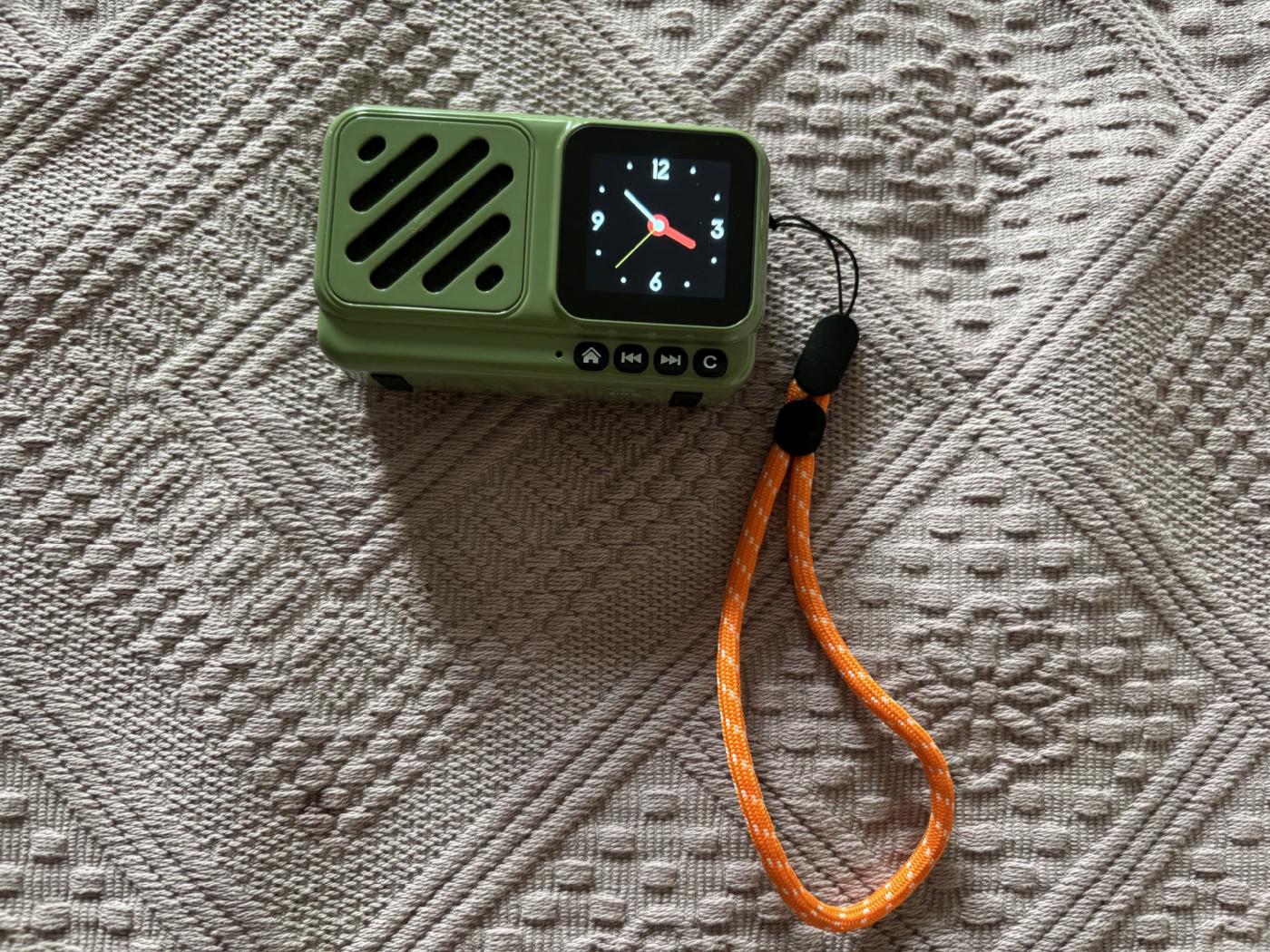
The display shows the time:
The next step is to connect the device to a Wi-Fi network or a SIM card. Surprise: The Voyager has a touchscreen. You can use your fingers to scroll the screen from top to bottom or horizontally. To go back, press the “C” button. First, swiping down opens the configuration menu. There, you can set up the SIM settings and the Wi-Fi network, among other things—using the gear icon (“Settings”). Here’s how:
1. Turn on Wi-Fi
2. Select your modem from the list that appears.
3. You’ll now be prompted to enter the key (network key). Once you’re done, just save—and you’ll have access to roughly 50,000 radio stations from all over the world—all the way to the Solomon Islands.
Here, you can also adjust the screen backlight, among other settings. Of course, this is a matter of personal preference. Personally, I’ve selected “always.” This uses slightly more power, but in return, the station and time are displayed continuously.
You can also set the device’s playback time here—and any available software updates are listed here as well.
SIM Card
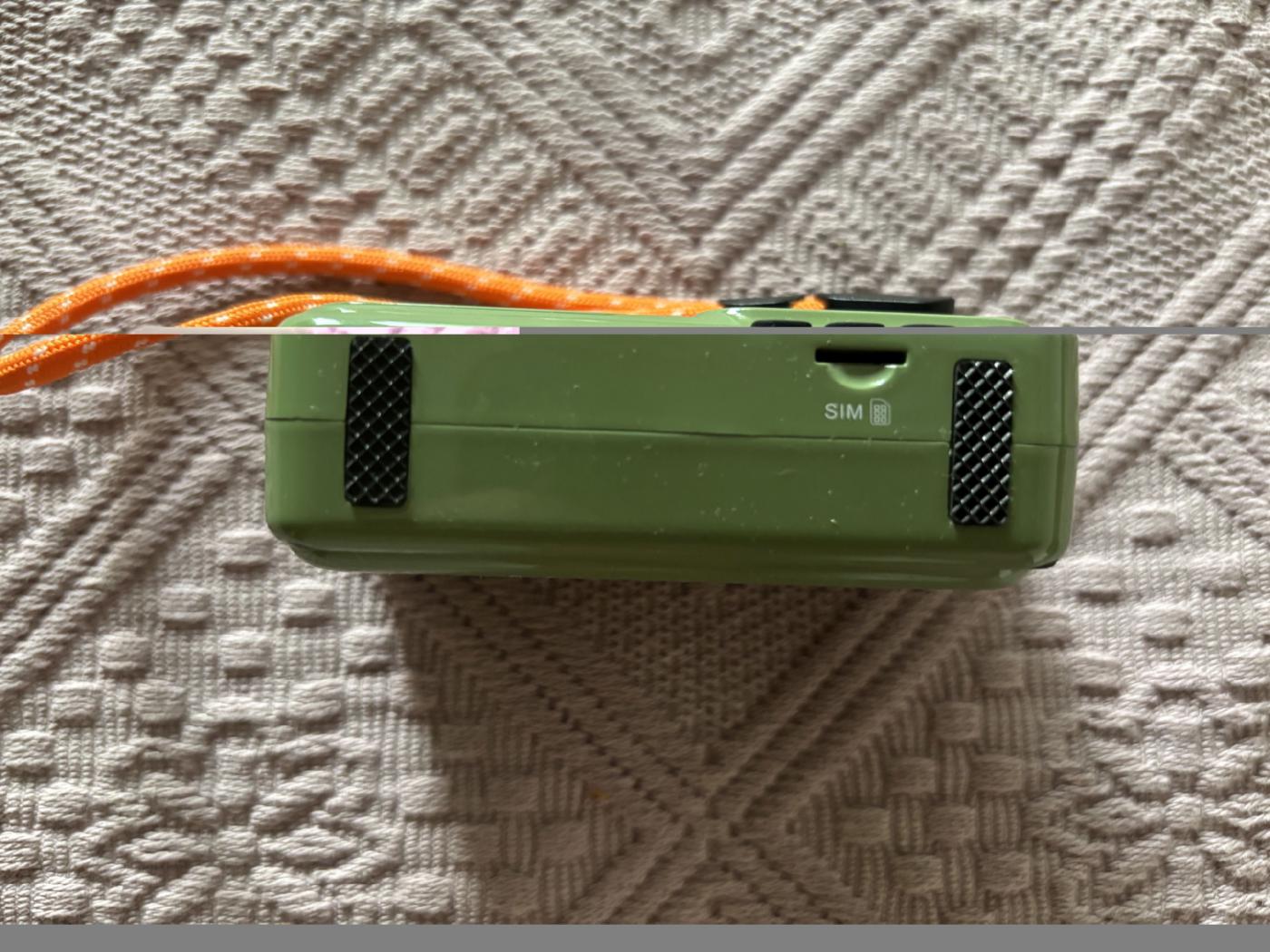
Next, there’s the option to operate the radio with its own SIM card, independent of an existing Wi-Fi connection. This way, you’re not tied to a specific location—it generally works anywhere in the country where 4G is available. There’s a SIM card slot on the bottom of the device. Both data-only SIM cards and standard SIM cards work. With my provider, I can sign up for a so-called “partner SIM” with 20 GB of data per month for about €3. Every time you restart the device using the red button on top, you’ll be prompted to enter the SIM’s PIN.
eSIM
Choyong also offers its customers an eSIM feature. You’ll need to have this activated by Choyong. A one-month trial costs 99 cents; after that, the service costs $15 per month and can be canceled at any time. There’s an eSIM for Europe, Africa, and Asia, and one for the Americas.
Bluetooth
The Voyager can also be used as a “Bluetooth speaker.” Just pair it and you’re all set. You can then use the Bluetooth function in the main menu to control an external digital recorder, for example.
Receiving Radio Stations
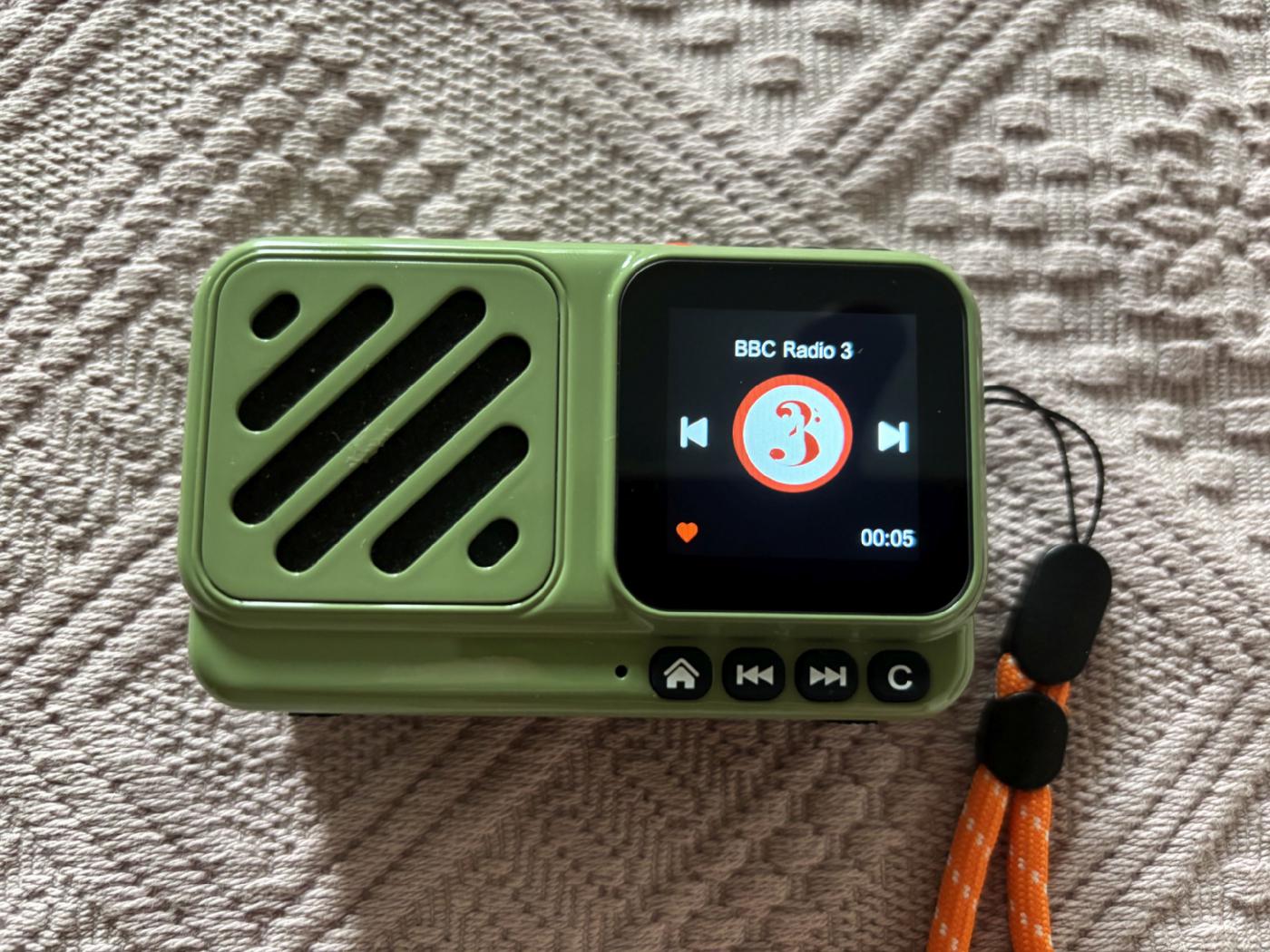
If you swipe the screen to the right, the first section of the radio menu appears, featuring “Search,” “Asia,” “Africa,” and “Europe.” If you swipe further, the second section appears with “SA” (= South America), “NA” (North America), “Oceania,” and an “ADD” option that lets you add your own stations if they aren’t already listed. The third screen then includes “Favorites,” “Podcast,” and “Settings” again.
When you select a continent by tapping it, the radio lists the countries available there, and within each country, the stations are organized by categories such as federal states. Simply tap to start the desired station.
Because this type of search is often time-consuming, there’s also the option to speak to the device and search for a station using your own voice. To do this, select the “Search” icon and then press the microphone button (top right). Hold it down and tell the Voyager what you’d like to listen to—for example, “BBC,” “Kontrafunk,” “WDR,” etc. The device understands German pronunciation quite well, and English even better. Once you’ve spoken the name of the desired station and released the microphone button, the found stations are listed. You do need to speak clearly, though. Sometimes you’ll have to repeat the search because it doesn’t always work on the first try—depending on the user’s pronunciation. But this is just a matter of getting used to it and gets easier over time.
If you really like a station and want to listen to it regularly, just press the little heart icon, and it’ll be saved to your favorites list. Pressing it again removes it from the favorites list.
Favorites, my most-used menu item, can be found on the third screen. Here, your favorite stations are listed alphabetically.
Finally, there’s the “Podcast” menu item: Podcasts are sorted by topic—though only in English. However, just like with the stations, you can also add your own podcasts (“ADD”)—most easily via the Choyong website. Simply create an account if you don’t have one yet: https://user.choyongradio.com/web/user/login
Conclusion:
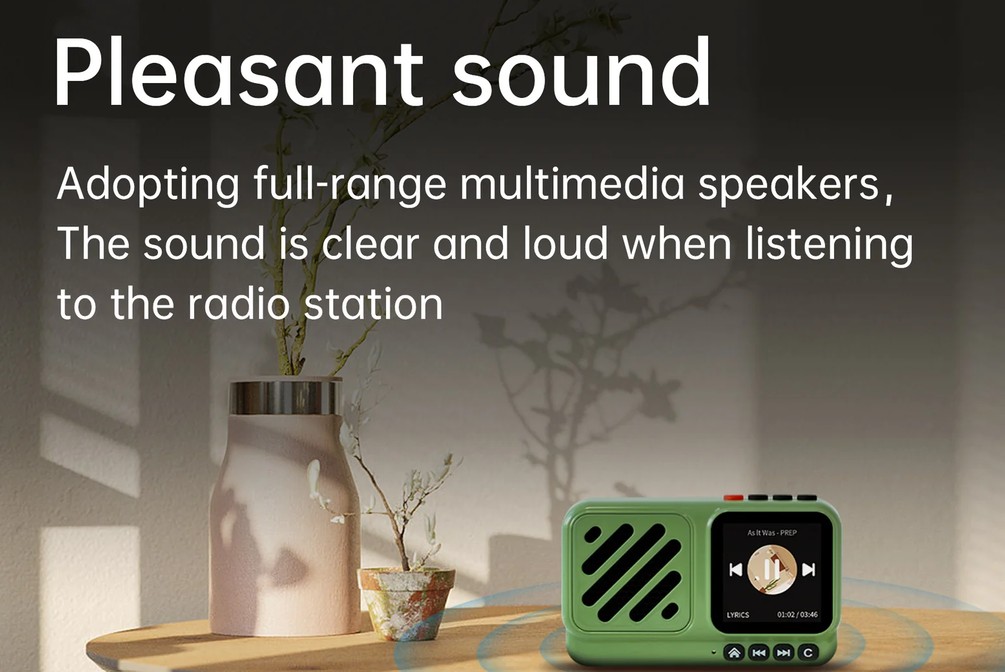
Of course, the Choyong Voyager can’t match the sound volume of a hi-fi system. Nevertheless, I was amazed that such a tiny device delivers such a pleasant audio experience. The rechargeable battery is built-in and cannot easily be replaced, which is the Voyager’s biggest drawback. This should be changed in future versions. Nevertheless, its many great features outweigh this, and I’m personally quite taken with the small radio’s unusual design. Approximately 50,000 stations, countless podcasts, a touchscreen, voice control—and all for the rather reasonable price of about €76.00. It’s not a device that will last forever—but does anything like that even exist anymore? Instead, it’s a truly lovely radio with a playful design—small, powerful, portable, and a delightful companion not just when traveling.
For more information, visit the Choyong website, where you can also purchase the Choyong Voyager:
https://www.choyongradio.com/
9 x 5 x 3 cm, 139 grams—including the rechargeable battery, which isn't exactly easy to replace: Probably the world’s smallest internet radio. In any case, I don’t know of any other that’s as small, as light, and as attractive as the Choyong Voyager. It plays around 50,000 stations and countless podcasts—and, relative to its size, with truly amazing sound quality.
A unique feature, as with all Choyong internet radios, is that it doesn’t rely on third-party providers for its internet database—providers that are prone to going out of business, disappearing from the market, or being sold off. The southern Chinese manufacturer maintains its own aggregator, which is constantly updated automatically. To improve quality, Choyong also has volunteers in many countries around the world who help test and update the stations regularly.
A radio that fits in any jacket pocket and can be taken anywhere: the name “Voyager” says it all.
The small device is delivered well-packaged and padded in a very sturdy box—along with a charging cable, a nice carrying handle that matches the color, and a user manual. Since the manual is only available in English, I’m providing a German translation here.
To better understand how the Choyong Voyager works, I’d like to describe it in a bit more detail here.
One of the first challenges after unpacking is attaching the carrying handle to the designated eyelet on the right side. This can turn into a real fiddly task. I threaded a thin, slightly rounded wire through the eyelet (which isn’t exactly easy either), tied the narrow end of the carrying handle to it, and carefully pulled it through with a pair of pliers. That worked out pretty well in the end.
Important: Because the radios aren’t allowed to be shipped by air with a fully charged battery, the battery level at the time of delivery is so low that the device usually won’t respond to anything at first. That’s why you must charge it with the included cable before doing anything else. Any smartphone charger from Samsung, iPhone, Android, etc., can be used for this. The charging time for the initial charge of the built-in battery is approximately 4 hours.
To turn on the radio, press and hold the small red power button on the top of the device for three seconds. Only then will the Choyong logo appear, and the radio will start up. So: Don’t just press it briefly and wonder why nothing happens.
The display shows the time:
The next step is to connect the device to a Wi-Fi network or a SIM card. Surprise: The Voyager has a touchscreen. You can use your fingers to scroll the screen from top to bottom or horizontally. To go back, press the “C” button. First, swiping down opens the configuration menu. There, you can set up the SIM settings and the Wi-Fi network, among other things—using the gear icon (“Settings”). Here’s how:
1. Turn on Wi-Fi
2. Select your modem from the list that appears.
3. You’ll now be prompted to enter the key (network key). Once you’re done, just save—and you’ll have access to roughly 50,000 radio stations from all over the world—all the way to the Solomon Islands.
Here, you can also adjust the screen backlight, among other settings. Of course, this is a matter of personal preference. Personally, I’ve selected “always.” This uses slightly more power, but in return, the station and time are displayed continuously.
You can also set the device’s playback time here—and any available software updates are listed here as well.
SIM Card
Next, there’s the option to operate the radio with its own SIM card, independent of an existing Wi-Fi connection. This way, you’re not tied to a specific location—it generally works anywhere in the country where 4G is available. There’s a SIM card slot on the bottom of the device. Both data-only SIM cards and standard SIM cards work. With my provider, I can sign up for a so-called “partner SIM” with 20 GB of data per month for about €3. Every time you restart the device using the red button on top, you’ll be prompted to enter the SIM’s PIN.
eSIM
Choyong also offers its customers an eSIM feature. You’ll need to have this activated by Choyong. A one-month trial costs 99 cents; after that, the service costs $15 per month and can be canceled at any time. There’s an eSIM for Europe, Africa, and Asia, and one for the Americas.
Bluetooth
The Voyager can also be used as a “Bluetooth speaker.” Just pair it and you’re all set. You can then use the Bluetooth function in the main menu to control an external digital recorder, for example.
Receiving Radio Stations
If you swipe the screen to the right, the first section of the radio menu appears, featuring “Search,” “Asia,” “Africa,” and “Europe.” If you swipe further, the second section appears with “SA” (= South America), “NA” (North America), “Oceania,” and an “ADD” option that lets you add your own stations if they aren’t already listed. The third screen then includes “Favorites,” “Podcast,” and “Settings” again.
When you select a continent by tapping it, the radio lists the countries available there, and within each country, the stations are organized by categories such as federal states. Simply tap to start the desired station.
Because this type of search is often time-consuming, there’s also the option to speak to the device and search for a station using your own voice. To do this, select the “Search” icon and then press the microphone button (top right). Hold it down and tell the Voyager what you’d like to listen to—for example, “BBC,” “Kontrafunk,” “WDR,” etc. The device understands German pronunciation quite well, and English even better. Once you’ve spoken the name of the desired station and released the microphone button, the found stations are listed. You do need to speak clearly, though. Sometimes you’ll have to repeat the search because it doesn’t always work on the first try—depending on the user’s pronunciation. But this is just a matter of getting used to it and gets easier over time.
If you really like a station and want to listen to it regularly, just press the little heart icon, and it’ll be saved to your favorites list. Pressing it again removes it from the favorites list.
Favorites, my most-used menu item, can be found on the third screen. Here, your favorite stations are listed alphabetically.
Finally, there’s the “Podcast” menu item: Podcasts are sorted by topic—though only in English. However, just like with the stations, you can also add your own podcasts (“ADD”)—most easily via the Choyong website. Simply create an account if you don’t have one yet: https://user.choyongradio.com/web/user/login
Conclusion:
Of course, the Choyong Voyager can’t match the sound volume of a hi-fi system. Nevertheless, I was amazed that such a tiny device delivers such a pleasant audio experience. The rechargeable battery is built-in and cannot easily be replaced, which is the Voyager’s biggest drawback. This should be changed in future versions. Nevertheless, its many great features outweigh this, and I’m personally quite taken with the small radio’s unusual design. Approximately 50,000 stations, countless podcasts, a touchscreen, voice control—and all for the rather reasonable price of about €76.00. It’s not a device that will last forever—but does anything like that even exist anymore? Instead, it’s a truly lovely radio with a playful design—small, powerful, portable, and a delightful companion not just when traveling.
For more information, visit the Choyong website, where you can also purchase the Choyong Voyager:
https://www.choyongradio.com/