Choyong A8W
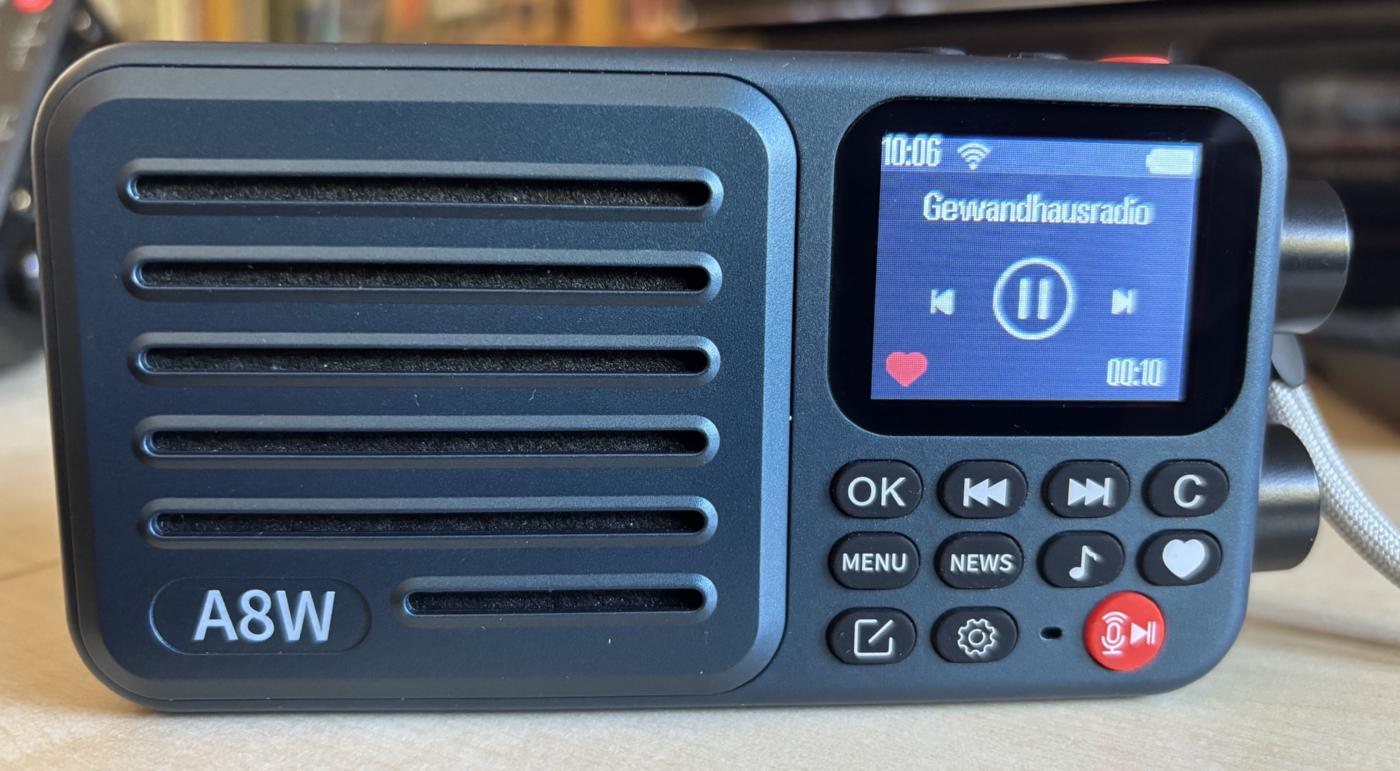
“The future belongs to the Internet,” people say. But these days, it’s more accurate to say that the Internet is already omnipresent in the present. Choyong has developed a radio that’s not just for beginners. The A8W is small, weighs just 190 grams including the battery, and fits in any jacket pocket. The price of about $40.00—directly from Choyong—is also surprising. It’s slightly more expensive on Amazon. It's a bit of a shame that you can't just replace the battery. Instructions on how to replace the battery anyway can be found here: https://www.youtube.com/watch?v=k7ZL97s2j-g
Otherwise, though, the A8W checks off a lot of boxes. More than 50,000 stations and tens of thousands of podcasts can be received with this small device. The sound quality is quite astonishing for a radio of this size.
A unique feature of Choyong is that, when it comes to the online database, users aren’t dependent on third-party providers, which occasionally go out of business and disappear from the market. The southern Chinese manufacturer maintains its own database, which is constantly updated automatically. To improve quality, Choyong has volunteers in many countries around the world who help test and update the stations regularly.
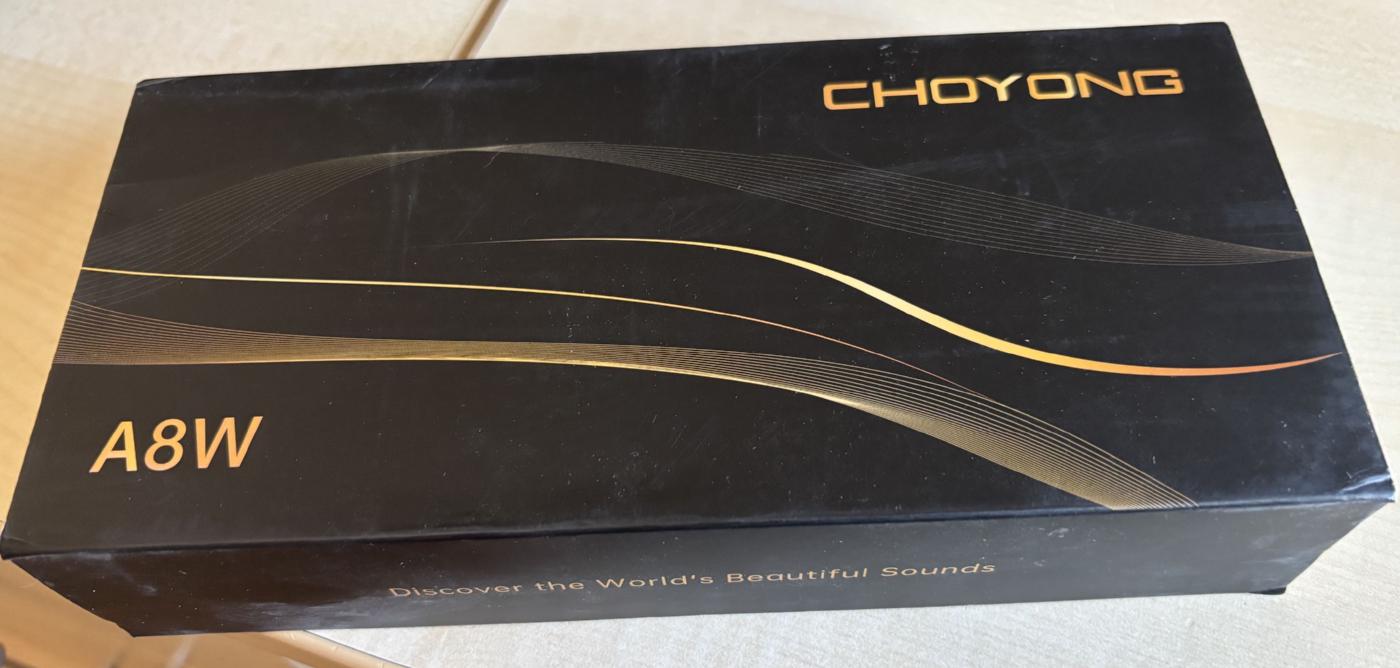
Customers receive their A8W well-packaged, padded, and in a box that’s as practical as it is attractive.
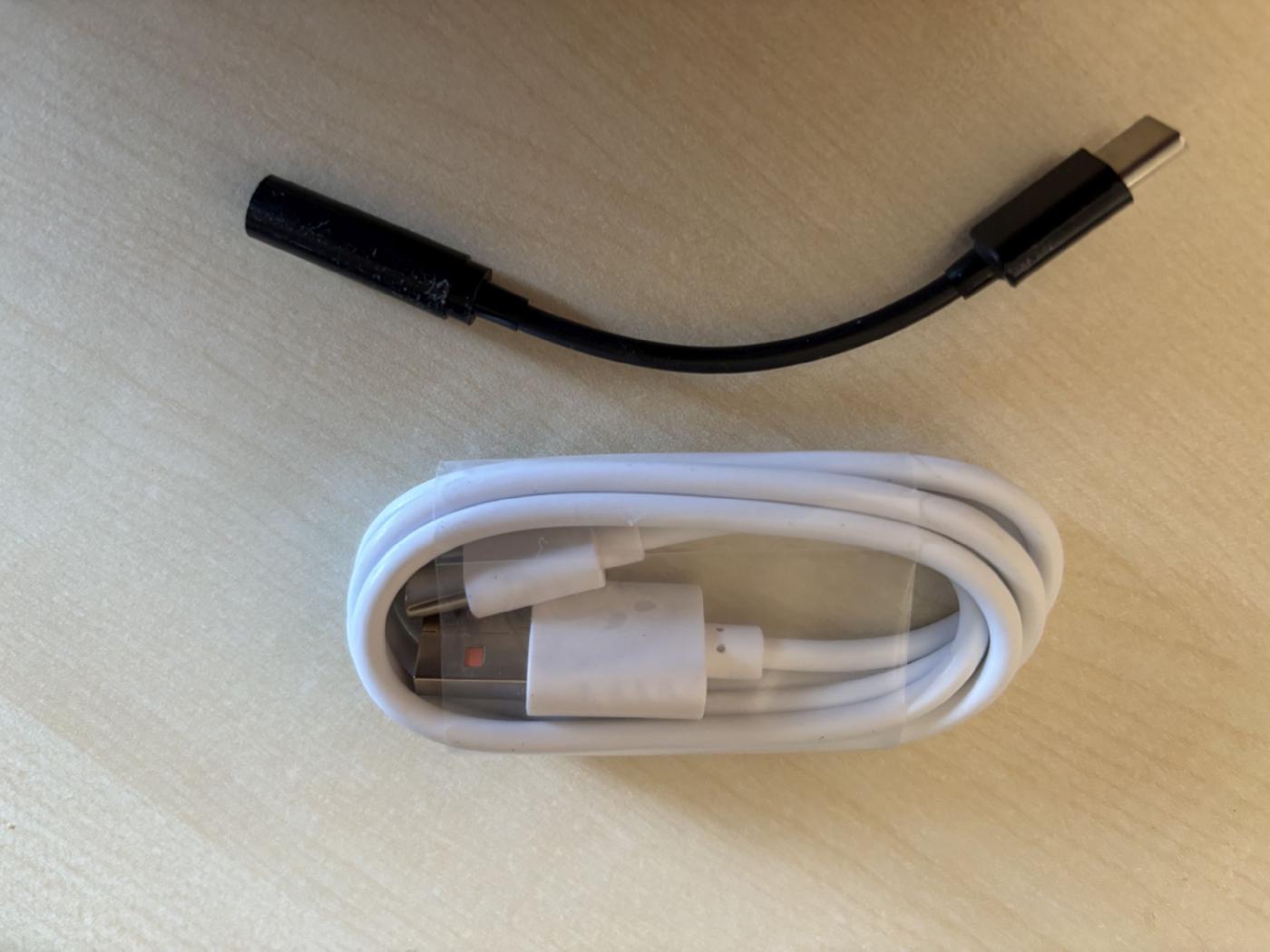
In addition to a charging cable, the box contains an adapter for connecting headphones. The device uses the same port for both charging and connecting headphones. This allows you to listen to the radio stations in stereo—provided the stations offer this option.
The radio features an FM tuner as well as internet radio. You can play your own songs using a TF card. Cards up to 32 GB can be used.
The A8W can connect to the internet in three different ways.
1. The easiest way is to connect via Wi-Fi: Simply select an available network, enter the password, and you’re done. In this case, reception is limited to the range of the respective Wi-Fi network.
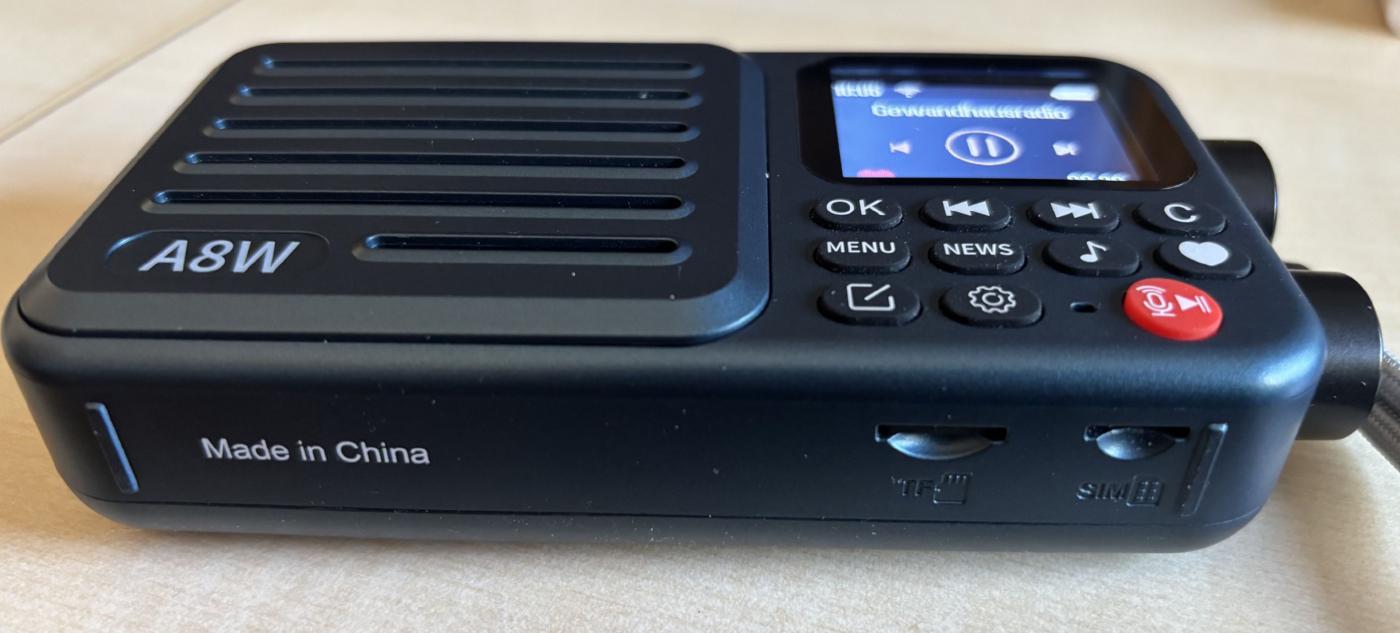
2. On the bottom of the device, there is a slot for the TF card and also a slot for a SIM card. Both data-only SIM cards and standard SIM cards work. Every time you restart the device using the red button on top, you’ll be prompted for the SIM’s PIN. However, you can also turn off the device using the rotary knob in the lower right corner. In this case, the device remembers the PIN. With a SIM card like this, you can listen to Internet radio anywhere.
3. eSIM: Choyong offers its customers an eSIM feature. You must have this activated by Choyong. A one-month trial costs 99 cents; after that, it’s $15 per month and can be canceled at any time. There is one eSIM for Europe/Africa/Asia and one for the Americas.
Getting Started
After unboxing the device, it may not show any signs of life. However, this is almost always because the battery is dead.
Therefore:
- Step 1: Charge the radio or battery using the included charging cable. You can use a smartphone charger (iPhone, Samsung, etc.) for this. You can also charge it via a PC. Under no circumstances should you use an iPad charger (see user manual). The initial charge takes approximately 3–4 hours.
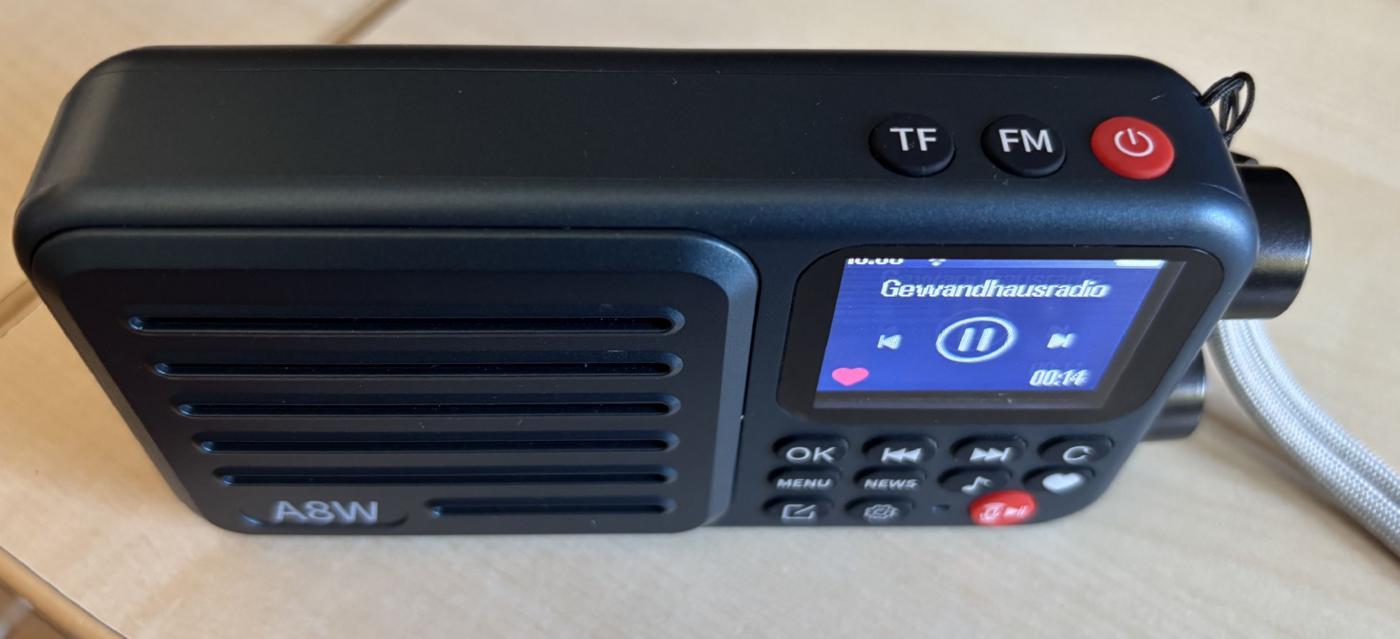
- Step 2: Press the red button in the upper right corner for three seconds. The Choyong logo will appear first, and then the device will start up. If the device is not yet fully charged, the battery icon will be displayed.
- Step 3: Connect to the network: All necessary functions are accessed using the Settings button (toothed wheel). Under Wi-Fi, you’ll find the corresponding connection. Under Backlight, you can also control how long a station’s logo should remain on the display. Personally, I prefer “Always” because then nothing is hidden
Since the user manual is available only in English, I am providing a German translation here.
FM Reception
FM reception is also possible with the A8W. The device features a built-in telescoping antenna.
Pressing the FM button briefly activates FM mode. You can set the desired frequency using the arrow buttons or the top rotary knob. Pressing and holding the FM button for 2 seconds causes the radio to perform a station scan. The frequency range is 87.8 MHz to 108 MHz. You can then use the arrow keys to switch back and forth between the stations found.
However, the A8W doesn’t have particularly strong reception. FM is really just meant as a nice bonus—it’s essentially an internet radio. Only strong local stations can be received clearly. The FM function is still practical, though—especially if you don’t have internet access and still want to listen to a program on the radio.
Internet Radio and Podcasts
The A8W’s real strength lies in its ability to receive internet stations. Most stations nowadays have an internet stream.
This includes former international shortwave services such as Radio Prague, RSI Bratislava, Radio Romania International, and others. You can search for stations, listen to them, and—if desired—save them as favorites, sorted by continent and country. If a stream is unavailable—which rarely happens—the device has a simple option to add the station directly.
The sound quality is excellent relative to the device’s size—though this naturally depends on the data rate being transmitted.
A particularly nice feature is the ability to search for stations using your own voice. To do this, first select “Search” from the menu and then press the red button on the control panel. Next, you say the station’s name, e.g., “BBC” or “Kontrafunk.” The A8W then searches for all relevant stations. From the list provided, you can select the desired station—if it’s available and/or found. However, you must speak clearly. Sometimes you’ll need to repeat the search because it doesn’t always work on the first try—depending on the user’s pronunciation.
You can then use the Menu button to select continents. This is also how you search for podcasts.
The display then shows the station name, the station logo (if available), the current time, the station’s broadcast duration, and, if applicable, the heart icon (=Favorite). You can use the arrow keys or the top rotary knob to switch to the next or previous station. Pressing “C” brings up the list of stations—depending on which mode you’re in.
If you’re unsure which station to listen to, you can use “News” and the “Note Key” to search for news or music stations, respectively.
Podcasts are sorted by topic—though only in English. However, just like with the stations, you can also add your own podcasts—most easily via the Choyong website. Simply create an account if you don’t already have one: https://user.choyongradio.com/web/user/login.
TF Card
A TF card (micro SD) is required when a firmware update is available. Without a TF card, no update is possible. Just like the SIM card, the slot for the TF card is located on the bottom of the device. After inserting either card, the device must be restarted.
According to official specifications, the maximum capacity is 32 GB (FAT32). In practice, however, larger cards work—at least up to 1 TB. This allows you to store many of your own songs on the card and play them back using the A8W. As a result, the listener becomes the conductor of their own concert. The folder structure you create on the TF card is replicated exactly on the radio. There is a button on the top of the device that lets you play music from your own card.
Conclusion
It’s a bit of shame that you can’t replace the battery yourself without screw driver. Otherwise, the little A8W is a lovely, compact internet radio that you can take with you anywhere; it sounds wonderful, offers a vast number of stations and podcasts, and lets you easily enjoy your own music stored on a TF card. Despite this minor drawback, I would still give it a “recommended” rating.
More information can be found on the Choyong website, where you can also purchase the A8W:
https://www.choyongradio.com/
“The future belongs to the Internet,” people say. But these days, it’s more accurate to say that the Internet is already omnipresent in the present. Choyong has developed a radio that’s not just for beginners. The A8W is small, weighs just 190 grams including the battery, and fits in any jacket pocket. The price of about $40.00—directly from Choyong—is also surprising. It’s slightly more expensive on Amazon. It's a bit of a shame that you can't just replace the battery. Instructions on how to replace the battery anyway can be found here: https://www.youtube.com/watch?v=k7ZL97s2j-g
Otherwise, though, the A8W checks off a lot of boxes. More than 50,000 stations and tens of thousands of podcasts can be received with this small device. The sound quality is quite astonishing for a radio of this size.
A unique feature of Choyong is that, when it comes to the online database, users aren’t dependent on third-party providers, which occasionally go out of business and disappear from the market. The southern Chinese manufacturer maintains its own database, which is constantly updated automatically. To improve quality, Choyong has volunteers in many countries around the world who help test and update the stations regularly.
Customers receive their A8W well-packaged, padded, and in a box that’s as practical as it is attractive.
In addition to a charging cable, the box contains an adapter for connecting headphones. The device uses the same port for both charging and connecting headphones. This allows you to listen to the radio stations in stereo—provided the stations offer this option.
The radio features an FM tuner as well as internet radio. You can play your own songs using a TF card. Cards up to 32 GB can be used.
The A8W can connect to the internet in three different ways.
1. The easiest way is to connect via Wi-Fi: Simply select an available network, enter the password, and you’re done. In this case, reception is limited to the range of the respective Wi-Fi network.
2. On the bottom of the device, there is a slot for the TF card and also a slot for a SIM card. Both data-only SIM cards and standard SIM cards work. Every time you restart the device using the red button on top, you’ll be prompted for the SIM’s PIN. However, you can also turn off the device using the rotary knob in the lower right corner. In this case, the device remembers the PIN. With a SIM card like this, you can listen to Internet radio anywhere.
3. eSIM: Choyong offers its customers an eSIM feature. You must have this activated by Choyong. A one-month trial costs 99 cents; after that, it’s $15 per month and can be canceled at any time. There is one eSIM for Europe/Africa/Asia and one for the Americas.
Getting Started
After unboxing the device, it may not show any signs of life. However, this is almost always because the battery is dead.
Therefore:
- Step 1: Charge the radio or battery using the included charging cable. You can use a smartphone charger (iPhone, Samsung, etc.) for this. You can also charge it via a PC. Under no circumstances should you use an iPad charger (see user manual). The initial charge takes approximately 3–4 hours.
- Step 2: Press the red button in the upper right corner for three seconds. The Choyong logo will appear first, and then the device will start up. If the device is not yet fully charged, the battery icon will be displayed.
- Step 3: Connect to the network: All necessary functions are accessed using the Settings button (toothed wheel). Under Wi-Fi, you’ll find the corresponding connection. Under Backlight, you can also control how long a station’s logo should remain on the display. Personally, I prefer “Always” because then nothing is hidden
Since the user manual is available only in English, I am providing a German translation here.
FM Reception
FM reception is also possible with the A8W. The device features a built-in telescoping antenna.
Pressing the FM button briefly activates FM mode. You can set the desired frequency using the arrow buttons or the top rotary knob. Pressing and holding the FM button for 2 seconds causes the radio to perform a station scan. The frequency range is 87.8 MHz to 108 MHz. You can then use the arrow keys to switch back and forth between the stations found.
However, the A8W doesn’t have particularly strong reception. FM is really just meant as a nice bonus—it’s essentially an internet radio. Only strong local stations can be received clearly. The FM function is still practical, though—especially if you don’t have internet access and still want to listen to a program on the radio.
Internet Radio and Podcasts
The A8W’s real strength lies in its ability to receive internet stations. Most stations nowadays have an internet stream.
This includes former international shortwave services such as Radio Prague, RSI Bratislava, Radio Romania International, and others. You can search for stations, listen to them, and—if desired—save them as favorites, sorted by continent and country. If a stream is unavailable—which rarely happens—the device has a simple option to add the station directly.
The sound quality is excellent relative to the device’s size—though this naturally depends on the data rate being transmitted.
A particularly nice feature is the ability to search for stations using your own voice. To do this, first select “Search” from the menu and then press the red button on the control panel. Next, you say the station’s name, e.g., “BBC” or “Kontrafunk.” The A8W then searches for all relevant stations. From the list provided, you can select the desired station—if it’s available and/or found. However, you must speak clearly. Sometimes you’ll need to repeat the search because it doesn’t always work on the first try—depending on the user’s pronunciation.
You can then use the Menu button to select continents. This is also how you search for podcasts.
The display then shows the station name, the station logo (if available), the current time, the station’s broadcast duration, and, if applicable, the heart icon (=Favorite). You can use the arrow keys or the top rotary knob to switch to the next or previous station. Pressing “C” brings up the list of stations—depending on which mode you’re in.
If you’re unsure which station to listen to, you can use “News” and the “Note Key” to search for news or music stations, respectively.
Podcasts are sorted by topic—though only in English. However, just like with the stations, you can also add your own podcasts—most easily via the Choyong website. Simply create an account if you don’t already have one: https://user.choyongradio.com/web/user/login.
TF Card
A TF card (micro SD) is required when a firmware update is available. Without a TF card, no update is possible. Just like the SIM card, the slot for the TF card is located on the bottom of the device. After inserting either card, the device must be restarted.
According to official specifications, the maximum capacity is 32 GB (FAT32). In practice, however, larger cards work—at least up to 1 TB. This allows you to store many of your own songs on the card and play them back using the A8W. As a result, the listener becomes the conductor of their own concert. The folder structure you create on the TF card is replicated exactly on the radio. There is a button on the top of the device that lets you play music from your own card.
Conclusion
It’s a bit of shame that you can’t replace the battery yourself without screw driver. Otherwise, the little A8W is a lovely, compact internet radio that you can take with you anywhere; it sounds wonderful, offers a vast number of stations and podcasts, and lets you easily enjoy your own music stored on a TF card. Despite this minor drawback, I would still give it a “recommended” rating.
More information can be found on the Choyong website, where you can also purchase the A8W:
https://www.choyongradio.com/